
Just Install Micro
Long ago, in my early Linux years, something opened Vim against my will. I did not know how to close Vim. I closed the terminal window. This wouldn’t be the last time. It took me an embarrassingly long time to learn the ancient rune: :q.
Twelve years on Nano followed. Not because I love it. Because of a rule I keep on myself: every tool on this computer must be usable by a half-asleep flu-ridden Anna at 3am. That rule has saved me more times than I can count, and the cost of it is that Vim, Neovim and Helix are forbidden.
Vim, Neovim, Helix: perfectly fine tools for the kind of individual who likes Arch btw, I’m sure. They fail my 3am test. Half-conscious me needs to be able to open a file, edit and save it. All that half-conscious me remembers about Vim is that pressing a combination of ESC, Insert, :q and Enter will get Vim to go away.
I learned this the hard way. So I resigned myself to Nano.
Until Micro
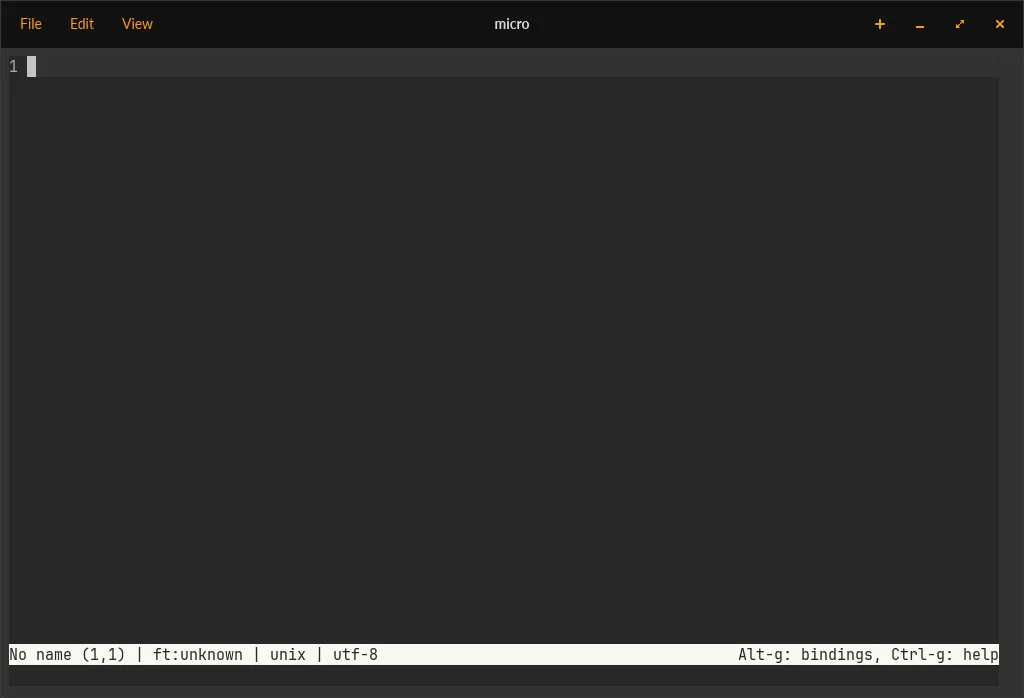
You type micro. The editor opens. There is no modal interface. There is no tutorial in the first session. There is no : you have to type to type something else.
Someone, somewhere, made all of the right choices.
The Defaults
- Ctrl+S saves.
- Ctrl+Z undoes.
- Ctrl+Q quits.
Reader, I cannot believe I have to point out that Ctrl+Q closing a text editor is a sight to behold. But here we are. The fact that pressing the universal close-the-application keybind in a text editor closes the application is (somehow, in 2026) a feature worth celebrating.
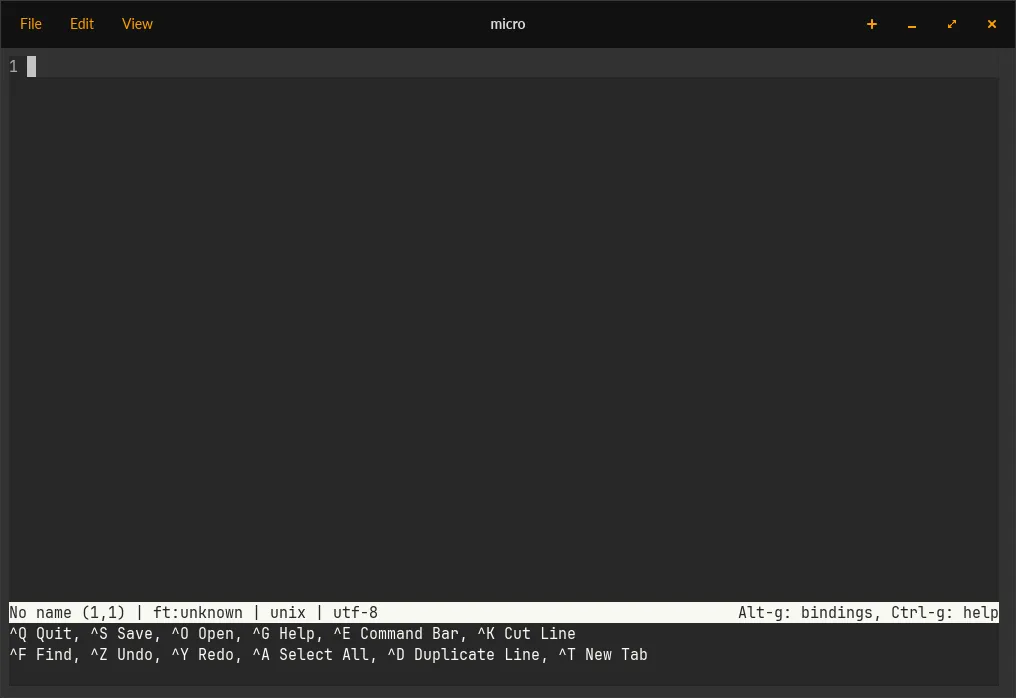
It tells you. The status bar literally says Alt-g: bindings, Ctrl-g: help. The program is aware that you may not know how it works, and it accommodates this without making you read a manual first. Press Alt+G and you get a short list of the keys you actually need. Press Ctrl+G and you get the full help text.
This is the Nano philosophy (the user may not know how this program works) without Nano’s age and quirks. A keybind for a quickstart. A keybind for the manual. If you press Ctrl+Q, the program closes. As you would expect.
Mouse? On my Terminal?
Yes. There’s not a “mouse mode”. Micro just lets the keyboard-and-mouse user use both the keyboard and the mouse.
- You can drag a split window to resize it. With your mouse.
- You can select text with your mouse. In your terminal. In a terminal editor.
- Ctrl+V (yes, the real Ctrl+V) overrides the selection with whatever is in your system clipboard.
And then, somehow, all of this works over SSH.
I do not know how. I have not investigated. I will not investigate. I am slightly afraid but I will gladly use the mouse support.
Commands and Splits and Terminals
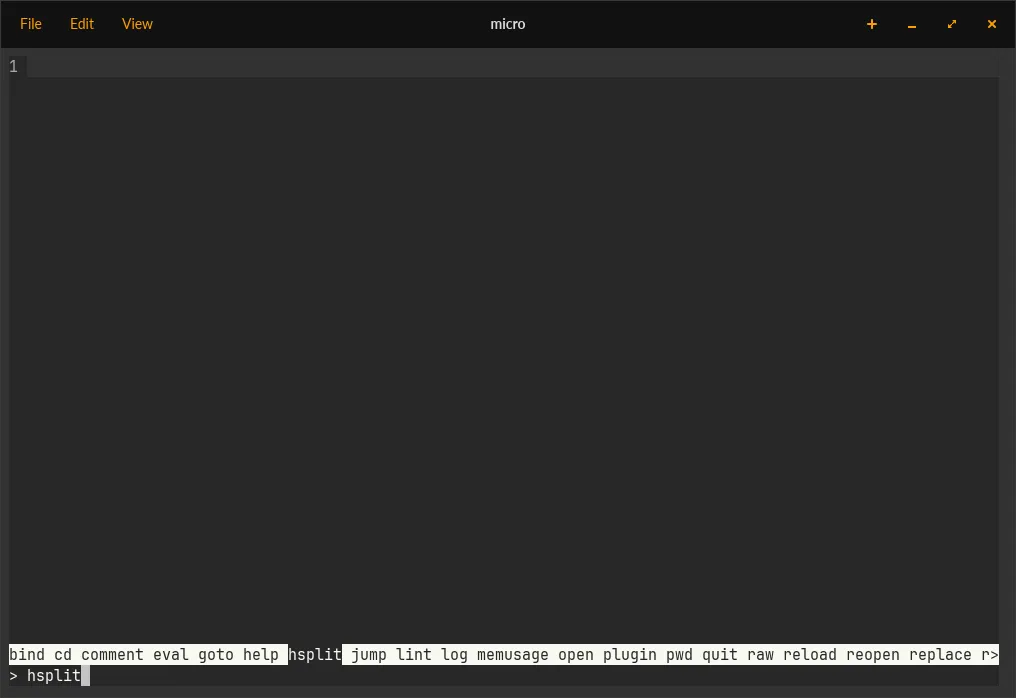
Ctrl+E opens the command bar, the > prompt. > hsplit for a horizontal split, > vsplit for vertical, > open filename.ext to drop a file into the focused pane.
It also opens a real shell in a split, if you > term a given split. Which means you can edit a compose.yml, run docker compose up in the pane next to it, see the output, fix the typo, re-run. Without leaving the editor.
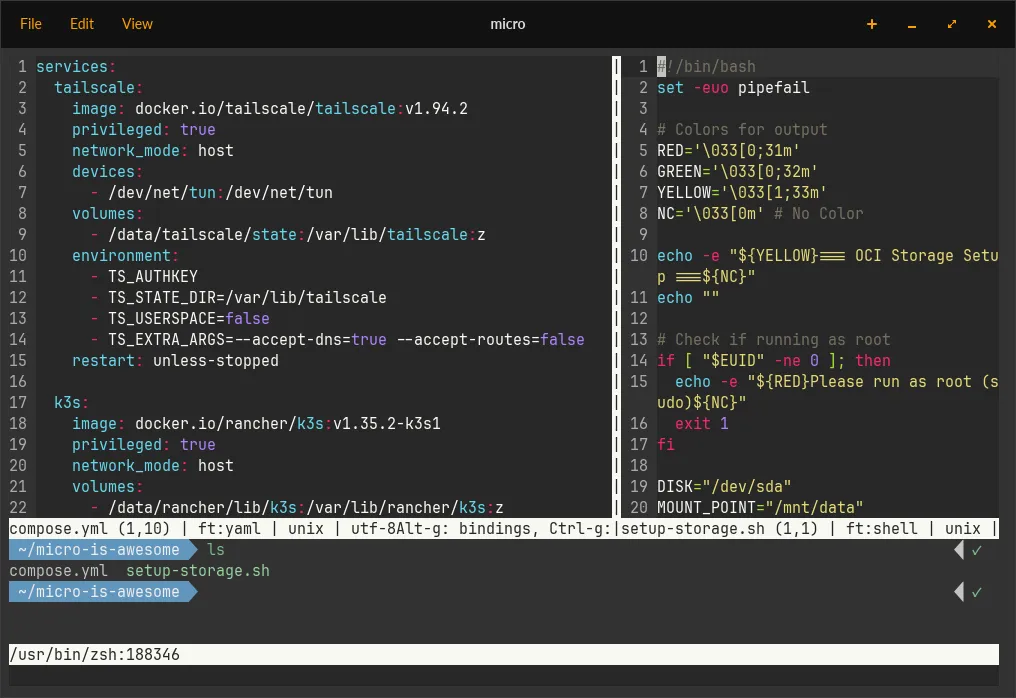
I am certainly already doing that. That is not what this post is for. But the option being there, with mouse-resizable splits and a real terminal, is the kind of thing that makes you reconsider what a “simple” editor is allowed to be.
I do not write “install this” posts. I am writing this one. Micro deserves it.
What I’m Not Going To Pretend
I do not know if Micro is as powerful as Neovim or Helix. It has themes. It has Lua scripting. I know friends who use Neovim as an IDE-on-a-terminal. That’s their thing, frankly — I’m going to use Micro as a text editor. That is the point.
I’m Grateful
To Zachary Yedidia: thank you for making Micro.
Not Nano. Not Neovim. But a third, full of (very good) compromises, option. The kind of editor you can use at 3am.
Cover photo by Gabriel Heinzer on Unsplash