
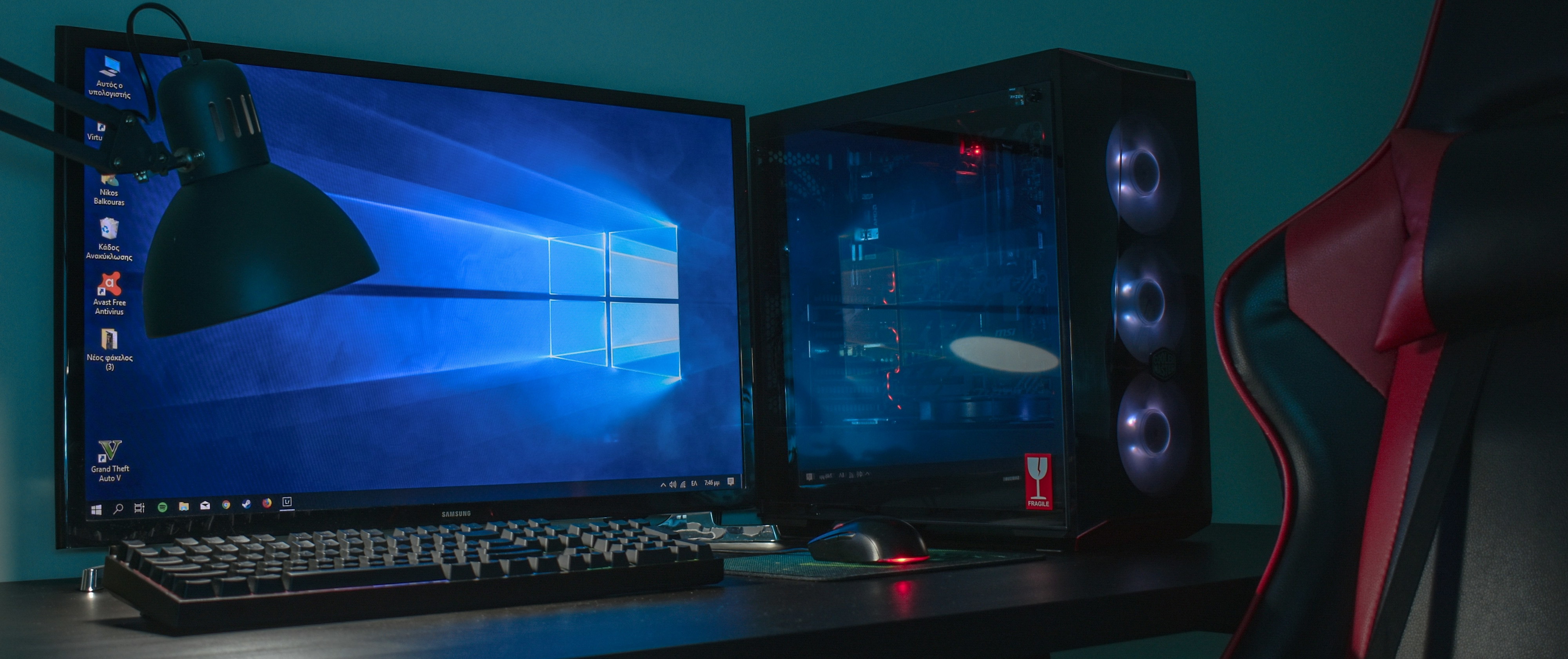
Your Gaming PC is a Server. You just don't know it yet.
Right now my desktop is turning an anime episode into something my TV is willing to decode. It’s also running the game I’m actually looking at, on the monitor I’m actually looking at. The fans have not moved. The frame counter has not moved either.
The machine does not consider these two things to be in conflict.
A Workstation With RGB On It
Nobody sold you the gaming PC as a server, so you never checked whether it was one.
Those words are marketing, not architecture. A gaming PC is a workstation with worse fonts on the box. A workstation is server hardware somebody attached a monitor to. A server is the same silicon in a building where nobody has to look at it. Same box. Different sticker.
The only actual difference is who’s allowed to be in the room with it, and in your case that’s you, which is the permissive configuration, not the restrictive one. You have physical access, a keyboard, and root. Datacenter operators pay real money to have less of that than you do for free.
Mine is a Ryzen 7 8700G, an RX 6750 XT, 32GB of RAM and 3TB of SSD, running CachyOS — which is Arch, btw. Now go read that spec sheet again and pretend I told you it was a rack unit with Proxmox. Eight cores. Thirty-two gigs. Three terabytes of local NVMe. You would not blink. You’d ask what it costs per month.
For scale: my Oracle Always Free VM, the one an entire homelab is bolted to, is 2 OCPU and 12GB, and it only got that small in June, which is its own story. The Windows Servers I deployed to professionally, the behemoths running twenty-something JVM services each, were 32 or 64GB. The machine I bought to play video games on sits comfortably inside that range, and unlike any of them it has a GPU with a hardware video encoder in it.
That last part is the bit nobody tells you. The encoder is not the graphics card. It’s a separate fixed-function block on the same die (VCN on AMD, NVENC on the green ones), and it does not care what your shaders are doing. Your shiny RTX 5060 can chew through hundreds of frames a second of legally-ambiguous anime for Jellyfin while the rest of the card is busy rendering something else entirely, and the power draw is a rounding error. The two workloads pass each other in the hallway and don’t make eye contact.
You are already paying to keep this thing plugged in. It idles for sixteen hours a day. It is, functionally, colocated hardware whose datacenter happens to contain a bed.
The Odyssey, From The Toilet
And it doesn’t stop at the desktop, either.
Somewhere there is a gaming laptop from 2018 with the laptop variant of a GTX 1050 in it, sitting closed on a shelf, doing nothing, because its owner decided it was too slow for modern games and therefore too slow for anything. That chip has NVENC on it. Pascal-era NVENC, which is to say: perfectly good, still supported, will transcode H.264 all afternoon on a part that can’t hold 60fps in anything released this decade.
Which means someone out there could, right now, this instant, be watching a leaked copy of The Odyssey from the toilet, streamed off a laptop with a swollen battery and a broken hinge in the back of a closet, over their own WiFi.
And instead that laptop is a paperweight, and they’re watching it on their phone off someone else’s server, buffering.
There is a working hardware video encoder in that closet, and its current job is dust accumulation.
Nomad Is Dead. Long Live The Unit File.
In March I wrote a (now-archived) post about running HashiCorp Nomad on this exact machine. Cluster of one. Job specs instead of unit files. A web UI I could hit from anywhere on the tailnet to restart Jellyfin from my phone.
That post was true. It has also expired.
I don’t run Nomad anymore. The cloud side went to K3s, and the desktop side went to (and I want you to understand how funny I find this) systemd and Docker. Units for the things that are just binaries, compose for the things that ship a compose file. No unifying layer on top. I stopped looking for one.
The thing I was routing around on Windows was that Windows has no good log story and no good service management. That was a real problem and Nomad was a real solution to it. Then I moved to Linux, kept Nomad anyway because the specs were already written, and wrote a whole blog post about how the right tool is the one you already know how to use. Even if you learned it wrong.
Reader, I was running a distributed workload orchestrator so that I could read logs and press a restart button, on an operating system that ships both.
The migration was four unit files, a docker-compose.yml, and deleting a daemon. What I lost: a web UI. What I gained: journalctl -fu sunshine, one fewer thing listening on a port, one fewer thing to upgrade, and services that come back on boot without an orchestrator having to reach consensus with itself first.
I still think the Nomad thing was correct at the time. I’d just rather the right tool be the one that’s already running.
Windows Counts, Too
If you’re on Windows, none of this is off the table. It’s just less pleasant, which is not the same thing.
Docker Desktop on WSL2 is fine. Genuinely fine: most self-hosted software ships a compose file and the compose file doesn’t care what’s underneath it. If you want the thing I used to have, Nomad’s raw_exec driver runs plain executables and gives you the web UI and the log tailing, and I maintain it’s the nicest experience available on that OS.
And if you want to do it the native way: NSSM. It takes any executable and wraps it as a proper Windows service: auto-start on boot, restart on failure, the whole thing. It’s the closest Windows gets to a unit file, and it’s been quietly holding up self-hosted setups for over a decade.
Task Scheduler also exists. Services.msc also exists. Neither of them will make you feel good about yourself.
“But That’s My Gaming Rig”
Yes. It’s also 3am in the middle of the week and nobody’s gaming.
But let’s take the objection seriously, because it’s the real one: you don’t want a Sonarr scan stealing frames during a match, and you definitely don’t want it during a Blender render where every core is spoken for.
[anna@anna-desktop ~]$ sudo systemctl stop sunshine.service
[anna@anna-desktop ~]$ docker compose down
That’s the objection, answered. Two commands, and the machine is a gaming PC again. Put them in a shell alias if you sit down often enough. Heck, make them a .sh or .bat file on your desktop.
In practice I almost never run them. An idle Jellyfin is a few hundred megabytes of a thirty-two gigabyte budget, and the *arr stack spends its entire life asleep waiting on a cron. The workload you actually notice is transcoding, and transcoding happens on a chip your game isn’t using. The conflict people imagine is between a server and a gaming PC. The real conflict is between two processes that both want the CPU at the same time, and you have eight cores and a scheduler that has thought about this more than you have.
Set CPUWeight= on the units if you want the argument settled in writing.
Your House Is Not A Faraday Cage
The other objection: it’s useless if it only works when you’re standing next to it.
This is the easiest problem on the list. Pick a tier:
| What you want | What you use |
|---|---|
| It just works, I’ll deal with the ethics later | Tailscale |
| I own the tunnel | WireGuard, ideally on the router |
| The network I’m on is hostile to UDP¹ | OpenVPN over 443 |
| Other people need to reach it | Traefik + port forward + DDNS |
¹ Corporate guest WiFi, hotel captive portals, and one memorable airport.
The bottom row is the one to be careful with. The moment you forward a port you are not self-hosting anymore, you’re hosting: you own a public service with a public attack surface, and it will be found within the hour by someone who isn’t you. DDNS-Go handles the dynamic-IP half, Traefik handles TLS and routing, and the remaining half is your problem forever.
The pitch here isn’t “build a homelab”. It’s smaller and more annoying than that: the hardware acquisition step you think is ahead of you is behind you. You did it. You did it for frames.
Everything after this is a unit file.
Cover photo by Balkouras Nicos on Unsplash